Picture this: you're settling in for a productive day at your home office. Your monitor is perfectly aligned, your keyboard and mouse are just so, and your ergonomic chair cradles you comfortably. You reach for your coffee, and thwack! Your foot snags a rogue power cord, sending a cascade of perfectly balanced peripherals into a precarious dance. Or perhaps you're constantly craning your neck to plug in a new device, only to be met with a Gordian knot of wires vying for limited space under your desk. Sound familiar?
Welcome to the often-overlooked but utterly vital world of ergonomic cable management. It’s more than just tidiness; it's about creating a safe, functional, and ultimately healthier workspace. A poorly managed jungle of cables isn't just an eyesore; it's a productivity killer, a tripping hazard, and a stealthy contributor to bad posture and unnecessary strain. In this deep dive, we'll unravel the mysteries of ergonomic cable management, offering practical solutions, essential tools, and a roadmap to a truly streamlined and comfortable home office.
Disclosure: Our guides are researched from the public sources we cite; we don't carry out hands-on product testing.
Why Ergonomic Cable Management Matters More Than You Think?
You might be thinking, "Cables? Who cares?" But let's break down why this seemingly minor detail has a massive impact on your home office experience:
- Reduces Tripping Hazards and Increases Safety: This is the most obvious benefit. Loose cables are an accident waiting to happen. A well-managed system eliminates these hazards, protecting you, your family, and your expensive equipment. Imagine the heartbreak of a spilled coffee catastrophe due to a snagged wire – no thanks!
- Improves Airflow and Prevents Overheating: Bundled, dusty cables can restrict airflow around electronics, leading to poor heat dissipation and potentially shortening the lifespan of your devices. Ergonomic cable management promotes better ventilation, keeping your tech cool and running smoothly.
- Enhances Aesthetics and Reduces Visual Clutter: A clean desk translates to a clear mind. The visual noise of tangled wires is distracting and can contribute to feelings of overwhelm. A tidy workspace is not only more pleasant to look at but also more conducive to focus and creativity.
- Boosts Productivity and Efficiency: How much time do you waste untangling cables, searching for the right port, or moving devices because of wire restrictions? A well-organised system means quick access, easy adjustments, and less frustration, freeing you up to concentrate on your work.
- Facilitates Ergonomic Positioning: This is where the "ergonomic" part truly shines. When cables are managed effectively, you have greater freedom to position your monitors, keyboard, and mouse exactly where they need to be for optimal posture. No more reaching or twisting awkwardly because a cable is too short or pulling on a device. It ensures your power outlets don't dictate your ergonomic setup.
- Simplifies Troubleshooting and Upgrades: Ever tried to figure out which cable goes where amidst a chaotic mess? It's a nightmare. With organised cables, identifying and replacing a faulty cord or adding a new device becomes a breeze.
- Preserves Cable Lifespan: Cables that are constantly bent, crimped, or pulled are more prone to damage. Proper management reduces stress on the wires and connectors, extending their life and saving you money on replacements.
The Ergonomic Approach: Planning Your Cable Management Strategy
Before you dive headfirst into buying cable ties, take a breath and plan. An ergonomic approach means considering how you use your space and what you need to achieve optimal comfort and efficiency.
Step 1: Audit Your Current Setup
Start by unplugging EVERYTHING. Yes, seriously. This might seem daunting, but it's the best way to understand the full scope of your cabling situation. As you unplug, ask yourself:
- What do I actually use? Discard or store any cables for devices you no longer own or rarely use.
- How long are these cables? Excessively long cables are often the culprits behind tangles.
- Where are my power outlets? Map out your power sources and consider if you need a power strip or surge protector.
- What devices need to be easily disconnected? Think about laptops, chargers, or external drives you frequently move.
- What devices are permanently connected? Monitors, docking stations, and desktop computers fall into this category.
Step 2: Optimise Device Placement for Ergonomics
Before even thinking about cables, ensure your devices are positioned for your comfort and health. This is foundational to ergonomic cable management:
- Monitor Height and Distance: The top of your monitor should be at or slightly below eye level. Cables shouldn't compromise this.
- Keyboard and Mouse Position: Keep them close, at elbow height, with wrists straight. Cables need to allow for free movement.
- Chair and Desk Height: Adjust these to support proper posture. Cables should never interfere with chair movement or leg room.
Once your devices are optimally placed, you can then plan how to route the necessary cables with minimal interference.
Essential Tools for Ergonomic Cable Management
You don't need a professional setup to achieve cable nirvana. These accessible tools will be your best friends:
- Cable Ties/Velcro Straps: The workhorses of cable management. Velcro straps are reusable and adjustable, making them ideal for dynamic setups. Zip ties are great for more permanent bundles.
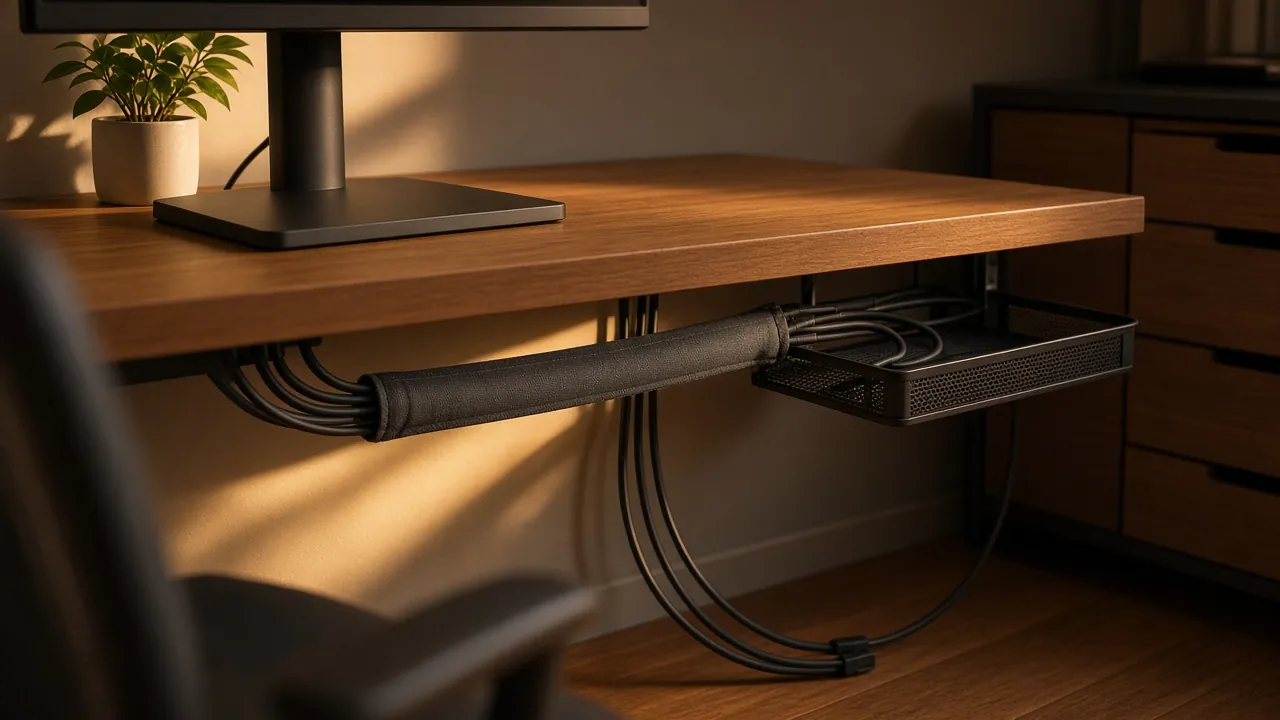
- Cable Sleeves/Wraps: These flexible tubes (often made of neoprene or braided fabric) gather multiple cables into one clean conduit, preventing tangles and offering protection. They come in various diameters.
- Cable Clips/Clamps: Perfect for affixing individual cables to the underside of your desk, walls, or furniture, keeping them out of sight and out of the way. Adhesive-backed clips are common.
- Cable Trays/Raceways: These are longer channels (often metal or plastic) that mount under your desk. They're excellent for routing multiple power and data cables horizontally, keeping them completely off the floor.
- Power Strips/Surge Protectors with Spaced Outlets: Essential for protecting your gear and providing ample, well-spaced power. Look for models with rotating outlets or extra space for bulky power adapters.
- Desk Grommets: If your desk doesn't have them, you can often drill holes (carefully!) and install grommets to route cables cleanly from the top of your desk to underneath.
- Cable Organizers/Boxes: These decorative boxes hide unsightly power strips and excess cable slack, adding a touch of elegance while improving safety.
- Adhesive Cable Management Hooks: Useful for hanging headsets, charging cables, or controllers securely.
Implementing Your Ergonomic Cable Management System
Now, let’s get down to the practical application. Follow these steps for a clean, ergonomic, and frustration-free workspace:
1. Group and Bundle Strategically
Start by grouping similar cables together. All power cords in one bundle, all data cables (USB, HDMI) in another. This makes identification and troubleshooting much easier. Use Velcro straps or cable sleeves for these bundles.
2. Route Cables Underneath the Desk
The goal is to get as many cables as possible off the floor and out of sight. Utilise cable trays, raceways, or simply adhesive clips along the underside of your desk. This clears up foot room and removes tripping hazards.
3. Mind the Length
Only use cables that are long enough to comfortably reach their destination without tension, but not so long that they create excessive slack. Too much slack is redundant. Too little tension can prevent you from making necessary ergonomic adjustments to your monitor or keyboard.
4. Leave Enough Slack for Movement
This is crucial for ergonomics! If your monitor or keyboard is on an adjustable arm, ensure the cables have enough slack to accommodate the full range of motion. If you frequently move your laptop, plan for easy disconnection and reconnection without disturbing your core setup.
5. Label, Label, Label!
Seriously, this is a major improvement. Use small labels on each end of your cables, especially for power adapters or less common ports. "Monitor A Power," "Docking Station USB-C," "Webcam." You'll thank yourself later when you need to troubleshoot or swap out a device.
6. Utilise Vertical Space
Don’t forget the sides or back of your desk. Adhesive hooks or small shelves can hold power bricks, external hard drives, or routed cables, keeping them off the desk surface.
7. Control Charging Cables
These are often the biggest offenders. Consider a dedicated charging station or using cable clips to hold your phone and laptop charging cables in place when not in use, preventing them from falling behind your desk.
8. Conceal Power Strips and Adapters
Power strips are inherently bulky. Use cable management boxes to hide them away, preventing dust accumulation and improving aesthetics. If using a power strip under the desk, secure it with screws or heavy-duty Velcro to prevent it from dangling or falling.
9. Protect from Floor Hazards
If cables absolutely must touch the floor, consider using cable protectors (channels that lie flat on the floor) in high-traffic areas to prevent damage and trips. However, the primary goal is to get them off the floor entirely.
10. Regularly Review and Adjust
Life happens, and your setup might evolve. New devices arrive, old ones leave. Make it a habit to periodically review your cable management. Are there new tangles? Are wires stressed? Adjust as needed to maintain your ergonomic and tidy oasis.
Advanced Tips for the Cable-Conscious
- Wireless Peripherals (Strategically): While the goal is to manage cables, strategically investing in wireless keyboards, mice, and even headphones can significantly reduce your cable count.
- Monitor Arms with Integrated Cable Management: Many high-quality monitor arms have channels for routing cables, making them disappear from sight as they run along the arm.
- Smart Power Solutions: Consider smart power strips or USB hubs that can power down devices when not in use, reducing "vampire drain" and simplifying power management.
- Custom Built-in Solutions: For the truly dedicated, consider installing custom cable runs within your desk or wall if your home office is a more permanent fixture.
The Ripple Effect: From Tangle to Tranquility
The journey from a spaghetti junction of wires to an ergonomically managed workspace might seem like a small detail, but its impact is profound. It's not about being obsessive; it’s about creating an environment that supports your well-being and productivity. A clean, organised, and ergonomically sound home office isn't just a luxury; it's a necessity for sustained focus, reduced physical strain, and a calmer mental state.
By investing a little time and effort into ergonomic cable management, you're investing in your health, your efficiency, and your overall happiness in your home office. Say goodbye to frustrating tangles and hello to a workspace that truly works for you.
Sources and further reading
Official and primary sources covering the topics in this article:
- HSE: working safely with display screen equipment: background on UK workstation and screen rules.
- HSE: home working: background on employers' duties for home workers.
- NHS: repetitive strain injury: background on causes and prevention of RSI.
Frequently asked questions
What should you know about the Ergonomic Approach: Planning Your Cable Management Strategy?
Before you dive headfirst into buying cable ties, take a breath and plan. An ergonomic approach means considering how you use your space and what you need to achieve optimal comfort and efficiency.
What should you know about Essential Tools for Ergonomic Cable Management?
You don't need a professional setup to achieve cable nirvana.
What should you know about Implementing Your Ergonomic Cable Management System?
Now, let’s get down to the practical application.
What should you know about the Ripple Effect: From Tangle to Tranquility?
The journey from a spaghetti junction of wires to an ergonomically managed workspace might seem like a small detail, but its impact is profound. It's not about being obsessive; it’s about creating an environment that supports your well-being and productivity.
Related Articles
Last updated: 2026-04-25 · Fact-checked by editorial team
Content Attribution: All content on Home Office Desk Setups is original. External sources are attributed where applicable. Trademarks belong to their respective owners.